> ## Documentation Index
> Fetch the complete documentation index at: https://docs.tabby.ai/llms.txt
> Use this file to discover all available pages before exploring further.

# Zid Product Catalogue

<div style={{ marginTop: '-20px' }}>
  <p style={{ fontSize: '16px', color: 'grey' }}>
    Here you will find the instruction how to install Tabby Catalogue in Zid.
  </p>
</div>

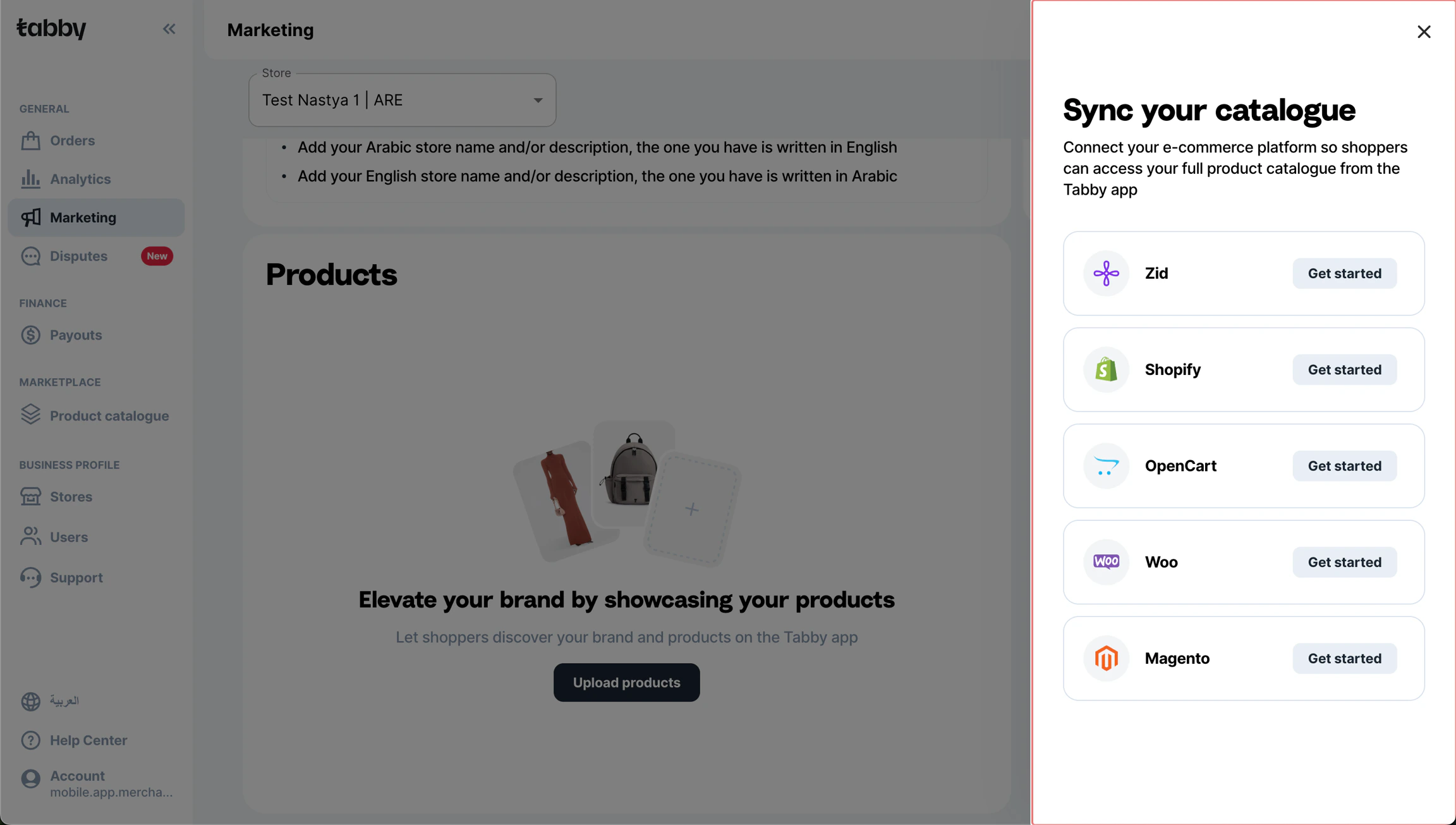
* In Tabby Merchant Dashboard go to the “Marketing” tab;

* Сheck the status of your store. It should be published to start the item uploading process;

* Once the store is published, click the “Upload products” button and choose Zid;

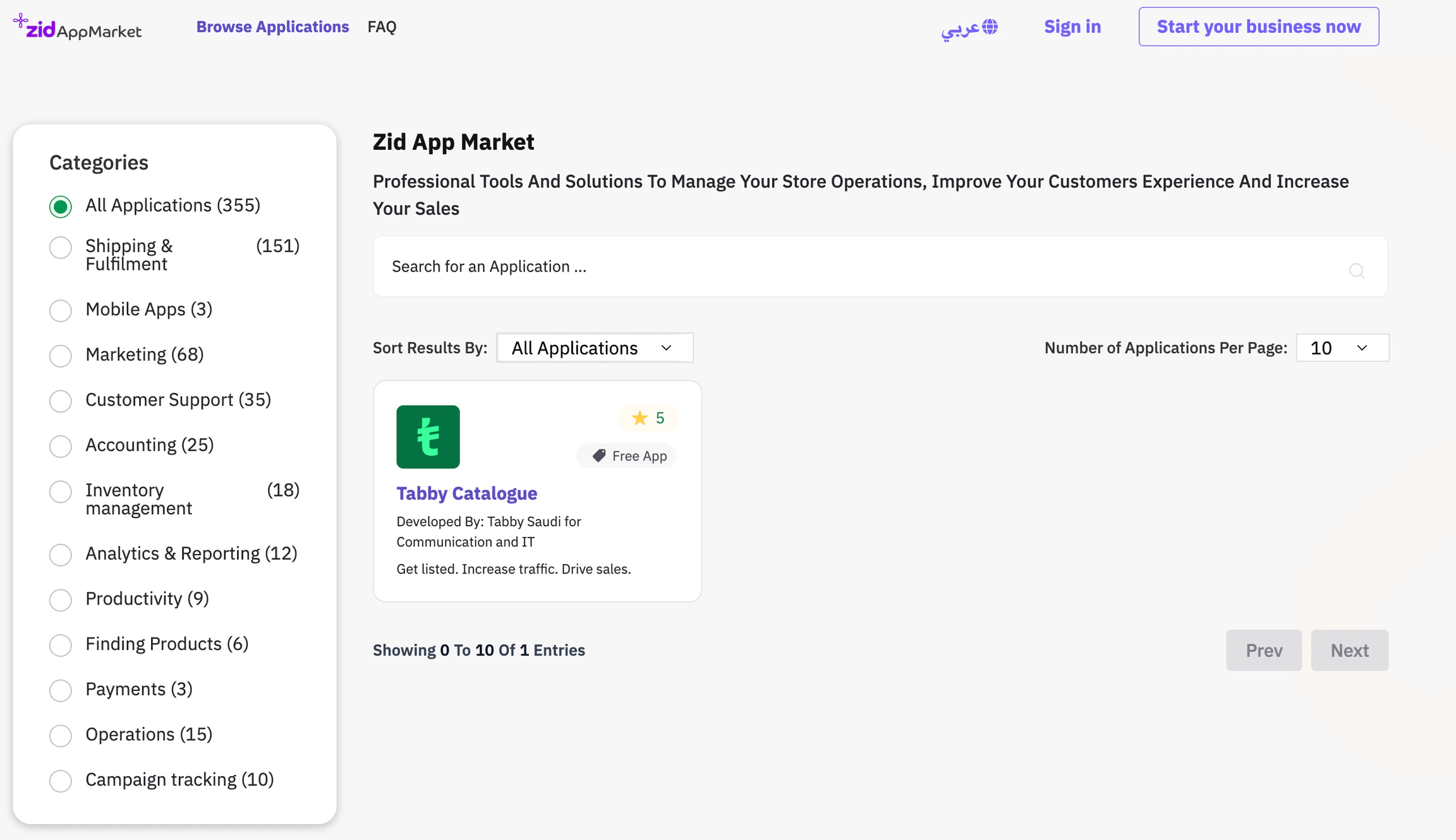
* You are redirected here to the instructions and the Zid App Market installation links:

  * **KSA market** - <a href="https://apps.zid.sa/en/application/3981" rel="noopener noreferrer" target="_blank">Tabby Catalogue (KSA)</a>;
  * **UAE / Kuwait markets** - <a href="https://apps.zid.sa/en/application/6343" rel="noopener noreferrer" target="_blank">Tabby Catalogue (UAE/Kuwait)</a>.

  Merchants operating in more than one of these markets should install both apps - each app handles its own region.

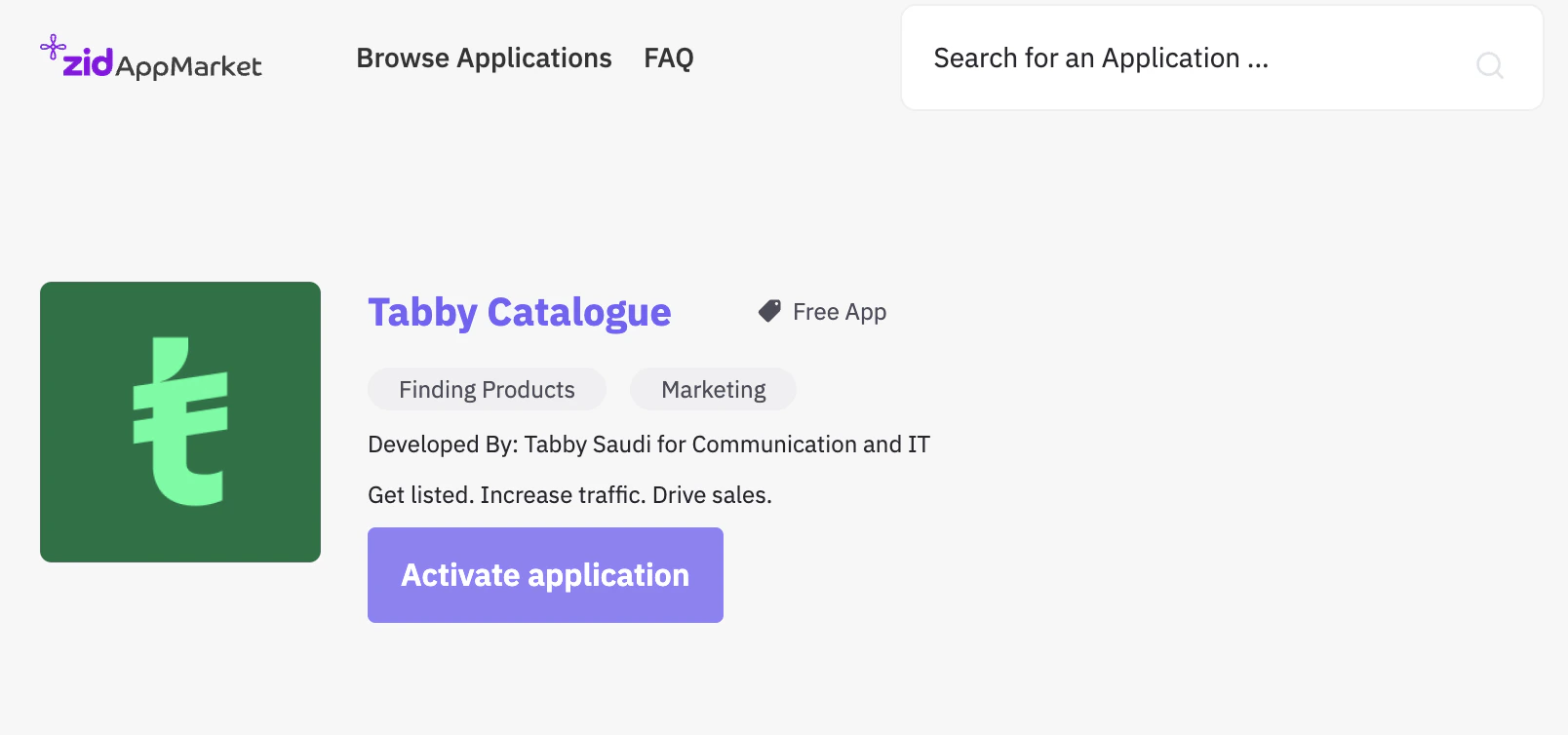
* In Zid App Market install and activate the relevant Tabby Catalogue app(s);

* Upon activation you will be redirected back to the Tabby Merchant Dashboard to undergo the OAuth process. The KSA app connects to <a href="https://merchant.tabby.sa" rel="noopener noreferrer" target="_blank">merchant.tabby.sa</a> and the UAE/Kuwait app connects to <a href="https://merchant.tabby.ai" rel="noopener noreferrer" target="_blank">merchant.tabby.ai</a>;

<div className="product-shot-figure">
  <img className="product-shot" alt="Make sure your store is published before uploading the items" src="https://mintcdn.com/tabby-5f40add6/UqGv66SUQ3rizJwt/images/zid-pc-1.webp?fit=max&auto=format&n=UqGv66SUQ3rizJwt&q=85&s=4024f0fd5301a7094fd668fb34414d1b" width="2304" height="1305" data-path="images/zid-pc-1.webp" />

  <p className="product-shot-caption">Make sure your store is published before uploading the items</p>
</div>

<div className="product-shot-figure">
  <img className="product-shot" alt="Tabby Catalogue in Zid App Market" src="https://mintcdn.com/tabby-5f40add6/UqGv66SUQ3rizJwt/images/zid-pc-2.webp?fit=max&auto=format&n=UqGv66SUQ3rizJwt&q=85&s=8cd6f4b860a3dc66f17d1a69a493c131" width="2304" height="1330" data-path="images/zid-pc-2.webp" />

  <p className="product-shot-caption">Tabby Catalogue in Zid App Market</p>
</div>

<div className="product-shot-figure">
  <img className="product-shot" alt="Activation Page" src="https://mintcdn.com/tabby-5f40add6/UqGv66SUQ3rizJwt/images/zid-pc-3.png?fit=max&auto=format&n=UqGv66SUQ3rizJwt&q=85&s=076580994fd2fe2ddfd2c21622904620" width="1608" height="754" data-path="images/zid-pc-3.png" />

  <p className="product-shot-caption">Activation Page</p>
</div>