

WooCommerce -> Settings -> Tabby API -> “Share product feed with Tabby.”
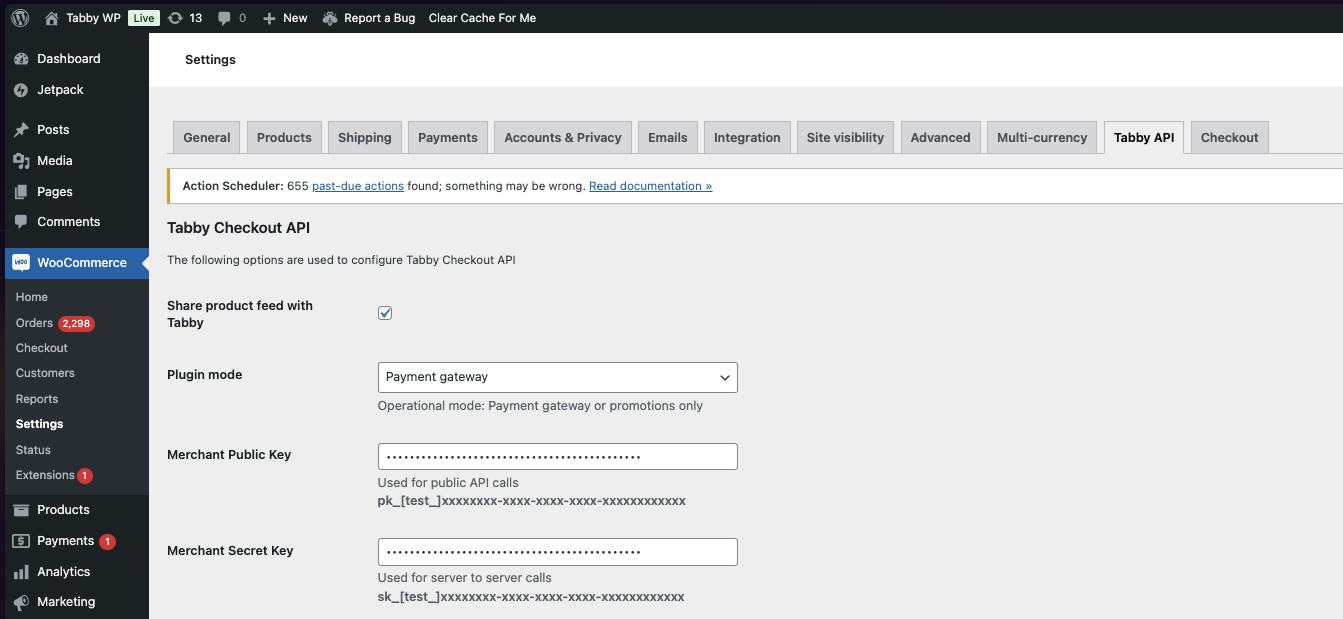
- Automated Product Listing: Easily list your entire WooCommerce store inventory on the Tabby Shop without manual intervention.
- Real-Time Stock Updates: Keep your product listings up-to-date effortlessly, as the plugin automatically syncs inventory availability and reflects out-of-stock items in real time.
- Increased Visibility: Showcase your products to a broader audience by making them visible to all Tabby app users.
- Traffic Generation: Drive interested shoppers directly to your WooCommerce store, increasing clicks and potential sales.